


AWS global infrastructure is the physical and logical backbone of every AWS service, and understanding it makes the rest of AWS much easier to learn. In addition, knowing how regions and availability zones connect helps you choose where to run your own projects.
One of the first things to understand when you start learning AWS is its global infrastructure. Every AWS resource you create lives in a specific physical location somewhere in the world, and where you place those resources affects latency, cost, compliance and reliability.
dns LAB TOPOLOGY & PREREQUISITES
# example values used while writing and testing this guide
AWS ACCOUNT
LAB ENVIRONMENT
VALIDATION
01constructionAWS global infrastructure: Regions
An AWS Region is a cluster of data centers in a geographic area, such as US East (N. Virginia), Europe (Frankfurt) or Asia Pacific (Singapore). Each Region is fully independent: resources in one Region are not automatically replicated to another. As of 2026, AWS operates more than 30 Regions around the world, and new ones are announced regularly.
02downloadAvailability Zones
Inside every Region there are multiple Availability Zones (AZs). An AZ is one or more data centers with independent power, cooling and networking, connected to the other AZs in the Region with high-bandwidth, low-latency links. A Region typically has three or more AZs.
The key concept for the AWS certification exams and for real designs: for high availability, deploy your application across at least two AZs in the same Region. That way, a failure in one data center does not take your application down. In short, AWS global infrastructure works best when you follow the order above and verify each step.
03usbEdge Locations
Edge locations are smaller sites in major cities used by Amazon CloudFront, the AWS content delivery network (CDN), and by Route 53 DNS. They cache copies of your content close to end users so it loads faster. There are far more edge locations than Regions, over 400 across the world.
04terminalRegion vs Availability Zone vs Edge Location
| Concept | What it is | Typical use |
|---|---|---|
| Region | A cluster of data centers in a geographic area | Where you create most resources (EC2, RDS, S3) |
| Availability Zone | One or more isolated data centers inside a Region | Spreading servers for fault tolerance |
| Edge location | A CDN endpoint in a major city | Caching content with CloudFront |
05settings_ethernetHow to Choose a Region
When picking a Region, consider these factors in order:
- Latency: choose the Region physically closest to your users.
- Cost: pricing differs between Regions; run the AWS Pricing Calculator for each.
- Service availability: new AWS services often launch in US East (N. Virginia) first.
- Compliance: laws may require that certain data stays within a specific country.
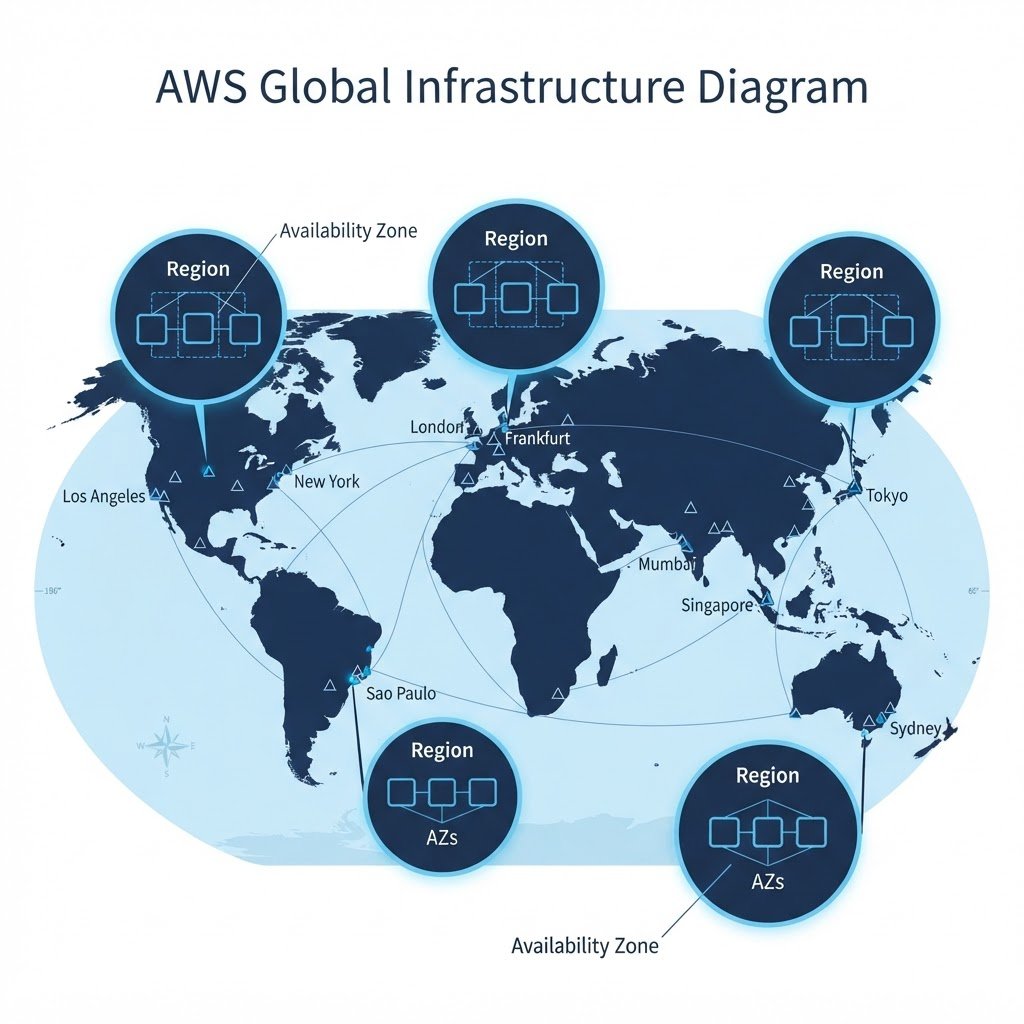 In short, AWS global infrastructure works best when you follow the order above and verify each step.
Q&AquizFrequently Asked Questions About AWS Global Infrastructure
How many AWS Regions are there?
AWS operates more than 30 Regions worldwide, and the number keeps growing. Therefore, always check the current list in the AWS console before choosing, because new Regions appear regularly.
What exactly is an Availability Zone?
It is one or more data centers with separate power, cooling and networking. Each AZ connects to the others in its Region through fast private links, so applications can span AZs without leaving the Region.
Which Region should I pick?
Pick the one closest to your users first. Then compare cost, because prices differ per Region, and check that the services you need are available there. For example, US East (N. Virginia) usually receives new services first.
Do edge locations host my servers?
No. Edge locations only cache content for CloudFront and serve DNS. In contrast, your EC2 instances run inside AZs within a Region, as explained in the EC2 guide.
EXTopen_in_newExternal Resources
These official guides go deeper on AWS global infrastructure.
Related Content
- What Is Amazon AWS? An Overview
- AWS Service Categories Explained
- How to Create a Free Amazon AWS Account
Next, take a look at the AWS service categories to see what you can build inside these Regions.
AWS Service Categories Explained: Compute, Storage, Database and More
Finish this lab, then continue down the track. Each guide builds on the one before it.