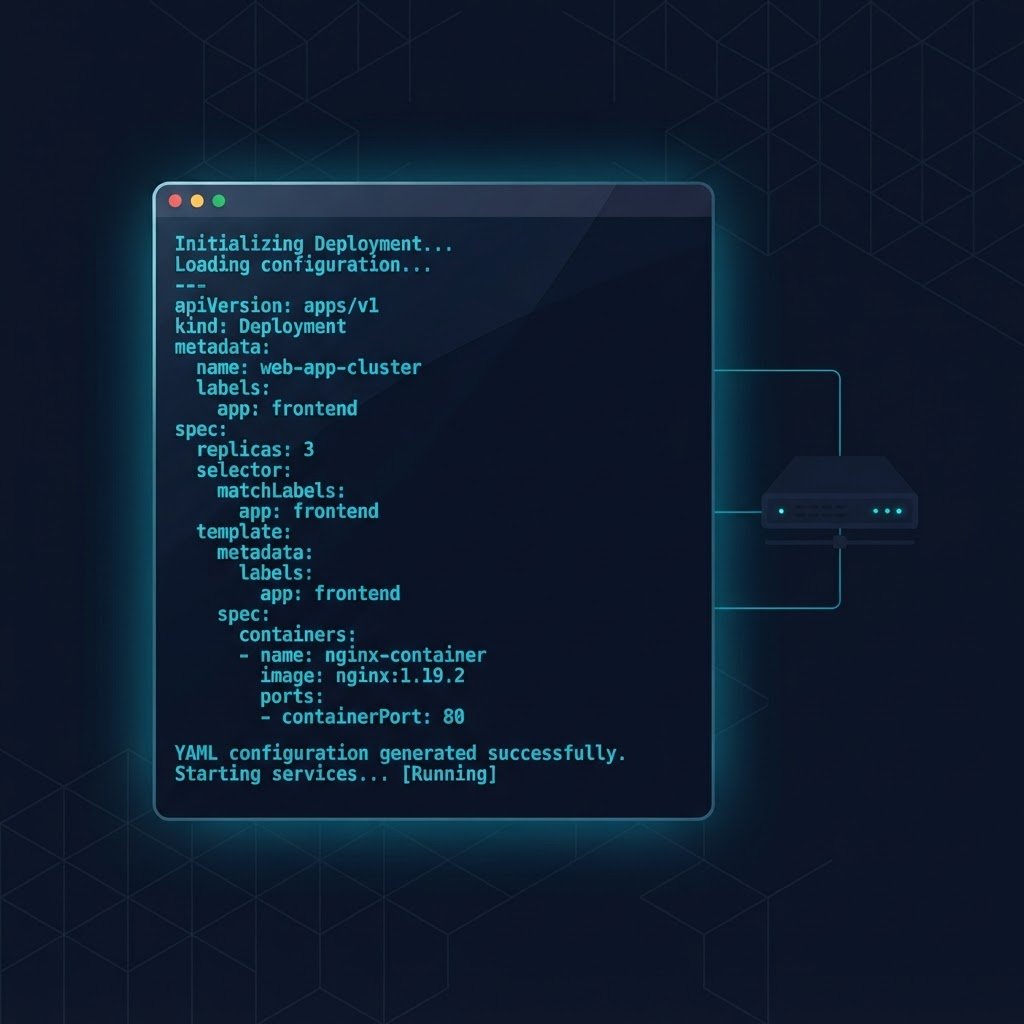
This script and config generator builds ready-to-run Netplan YAML, PowerShell deployment scripts, ESXi Kickstart files and AWS CloudFormation templates from one panel. First, you type the lab parameters. Then, the generator assembles the exact configuration for your target platform, so nothing is hand-copied from a screenshot again.
Run the Script and Config Generator
The panel below is live on this page, so the script and config generator runs without any install. In other words, pick a target, adjust the parameters and press Generate. Afterwards, the output pane shows the complete file, and the Copy button places it on your clipboard in one click.
# generated output appears here
What Each Generator Target Produces
Every target below maps to a lab track on this site. Consequently, you can read the guide first, and then generate the file for your own hostnames and addressing. In addition, each card carries a short sample so you can inspect the pattern before you open the tool.
Netplan network configuration
Bonded dual NICs, static addressing and resolvers for an LTS server. Therefore, apply it with the Netplan guide on the Ubuntu hub whenever you rebuild a node.
network:
  version: 2
  bonds:
    bond0:
      interfaces: [enp3s0, enp4s0]
      parameters:
        mode: 802.3ad
      addresses: [10.10.10.25/24]
network:
  version: 2
  ethernets:
    enp3s0: {}
    enp4s0: {}
  bonds:
    bond0:
      interfaces: [enp3s0, enp4s0]
      parameters:
        mode: 802.3ad
        lacp-rate: fast
      addresses: [10.10.10.25/24]
      routes:
        - to: default
          via: 10.10.10.1
      nameservers:
        addresses: [10.10.10.1, 1.1.1.1]
AD DS forest deployment script
Installs the AD DS role and promotes a new forest in one repeatable pass. However, pair it with the Windows Server hub guides first, because the role order matters on a fresh VM.
Import-Module ADDSDeployment
Install-ADDSForest -DomainName huda.lan
  -DomainNetbiosName HUDA -InstallDns
Import-Module ADDSDeployment
Install-ADDSForest -DomainName huda.lan -DomainNetbiosName HUDA -ForestMode WinThreshold -DomainMode WinThreshold -InstallDns:$true -NoRebootOnCompletion:$false
Headless ESXi kickstart file
Static IP, hostname and first-disk install for a bare-metal host. Similarly, review the ESXi install lab before you boot it, since kickstart gives no confirmation prompts.
vmaccepteula
install --firstdisk --overwritevmfs
network --bootproto=static
vmaccepteula
install --firstdisk --overwritevmfs
network --bootproto=static --ip=10.10.10.25 --netmask=255.255.255.0 --gateway=10.10.10.1 --nameserver=10.10.10.1 --hostname=esxi-01 --device=vmnic0
rootpw --plaintext ChangeMe-Before-Lab
reboot
Free-tier lab VPC template
A one-subnet VPC with DNS hostnames enabled, sized for the zero-surprise free tier protocol. Moreover, the template stays inside the guardrails that the AWS hub documents.
Resources:
  LabVPC:
    Type: AWS::EC2::VPC
    Properties:
      CidrBlock: 10.10.10.0/24
Resources:
  LabVPC:
    Type: AWS::EC2::VPC
    Properties:
      CidrBlock: 10.10.10.0/24
      EnableDnsHostnames: true
  LabSubnet:
    Type: AWS::EC2::Subnet
    Properties:
      VpcId: !Ref LabVPC
      CidrBlock: 10.10.10.0/25
      AvailabilityZone: !Select [0, !GetAZs '']
How to Use the Generated Files Safely
A generated file is a starting point, not a magic switch. Therefore, treat every output of the script and config generator the same way you would treat a colleague’s pull request. Besides, the sequence below keeps a lab recoverable at every step.
- First, paste the output into a scratch file and read every line against the guide it belongs to.
- Then, snapshot the VM or host before you apply anything, because rollback beats reinstall.
- Next, change every password placeholder before the file touches a real network segment.
- Afterwards, apply the configuration in a test VM and confirm the service answers.
- Finally, tag the working copy in your notes, so the next rebuild starts from a known state.
Validation the Script and Config Generator Performs
Before the Copy button lights up, the engine inside the script and config generator checks four things. For example, the YAML branch verifies indentation and required keys, while the PowerShell branch keeps every cmdlet on one line so the parser stays happy.
- Structure: required keys and sections exist in the generated document.
- Placeholders: passwords and domain names are clearly marked before you copy.
- Addressing: the CIDR, gateway and resolver strings survive the input filter intact.
- Platform fit: each target matches the guide versions on the matching hub.
Besides that, the same field-tested patterns appear in the guides themselves. However, no generator can know your switch VLANs, so the comments flag every line you must confirm. As a result, the generator output stays honest about its limits.
Why a Script and Config Generator Beats Copy-Paste
Hand-copying commands from screenshots is where most lab evenings die. A single dropped character in a YAML file costs an hour of tracing, and a missed indent costs more. In contrast, the script and config generator assembles the file from parameters you control, which removes the transcription layer entirely.
Moreover, regeneration is free. For instance, when the lab network changes, you type the new gateway once and press Generate again, instead of editing a stale file from an old experiment. Meanwhile, every output stays consistent with the naming you already use.
Pair the Generator with the Rest of the Lab Stack
The script and config generator plugs into the wider toolchain below. In other words, size the host, generate its configuration, then follow a hub guide line by line.
Homelab Hardware Calculator
Size RAM, disk and power for the host before any config touches it.
Data Center and ESXi Hub
Thirteen virtualization labs that consume the kickstart output.
Windows Server Hub
Active Directory, DNS, DHCP and Hyper-V labs for the PowerShell path.
Ubuntu Server Hub
Netplan, BIND9 and KVM labs that apply the YAML branch.
Certification Roadmap
Then, map the generated configs to the exams you plan to sit.
Hardware Benchmark Matrix
Finally, compare platform scores before the specs leave the generator.
Script and Config Generator Questions
What does the script and config generator make?
It assembles four file types: Netplan YAML for Ubuntu, PowerShell scripts for Windows Server 2025, kickstart files for ESXi 8, and CloudFormation templates for AWS. Each output uses the parameters you type, so hostnames and addressing match your lab.
Is the generated configuration safe to run in production?
No. The output targets isolated homelab networks. For instance, passwords stay as placeholders, and several lines carry comments that demand local review before use.
Which Ubuntu version do the Netplan templates target?
Ubuntu Server 24.04 LTS. However, the same Netplan structure works on 22.04 because both releases read the same configuration schema.
Can the generator write an ESXi kickstart for version 8?
Yes. The kickstart branch targets ESXi 8.0U2 with static addressing on vmnic0, which matches the bare-metal install guide in the Data Center hub.
Does the AWS tab create real resources in my account?
No. The page only produces text. You paste the template into your own console or CLI, which keeps every credential off this page.
External resources